AI Tools
AI tools are changing how people work, create, research, plan, and manage daily tasks. But with so many apps, platforms, and automation features available, it can be difficult to know where to start.
This page is the main teCHargers hub for AI tools, AI workflows, and practical AI systems. It connects our guides on productivity, writing, freelancing, content creation, research, automation, and tool comparisons.
Use this page as a starting point if you want to understand which AI tools are useful, how they fit into real workflows, and when free or paid options make sense.
AI Productivity Systems
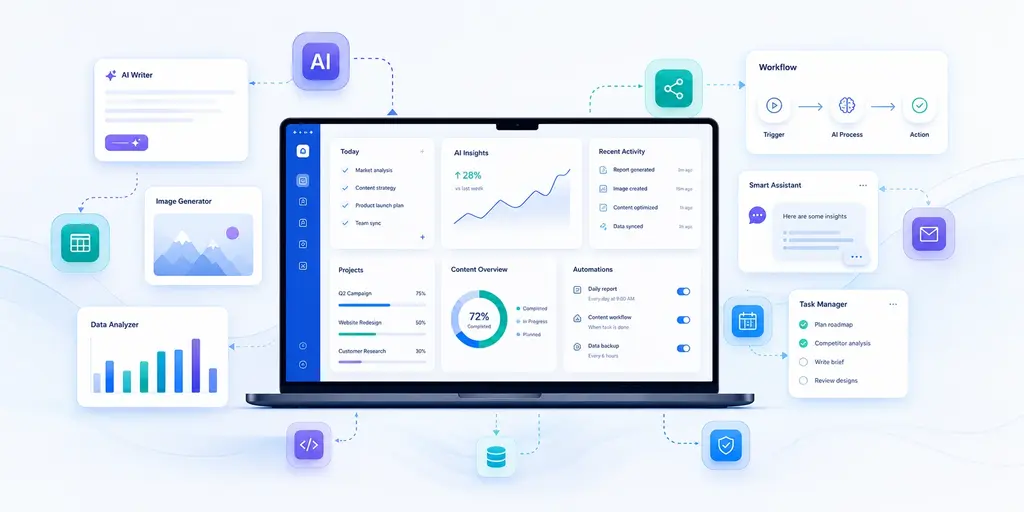
AI productivity systems focus on how AI tools are used together inside repeatable workflows. Instead of using AI for isolated tasks, a productivity system helps organize work from input to output.
This area is useful for freelancers, creators, remote workers, students, and professionals who want to save time and reduce repetitive work.
Start here:
AI Productivity Systems for Freelancers, Creators, and Remote Workers
AI Tools for Freelancers
Freelancers can use AI tools to support client communication, proposals, project planning, revision tracking, research, and admin tasks.
This topic focuses on practical AI workflows that help freelancers manage client work more efficiently without losing the personal judgment needed for professional service work.
Recommended guide:
AI Workflow for Freelancers to Automate Client Work and Save Time
AI Productivity Tools
AI productivity tools help with planning, writing, summarizing, organizing, task management, automation, and daily work routines.
This section will cover free, freemium, and paid AI tools that can support productivity workflows. The focus is not only on what each tool does, but also on when it is worth using and when an upgrade makes sense.
Coming soon:
Freemium AI Tools for Productivity in 2026
Free AI Tools for Productivity That Actually Work
Free vs Paid AI Tools: What You Actually Need
Best AI Tools With Free Plans That Upgrade When You Scale
AI Writing Tools
AI writing tools can help with outlines, drafts, emails, blog posts, social media content, editing, rewriting, and content repurposing.
This section will focus on AI writing tools for bloggers, creators, freelancers, and professionals who need to produce written content more quickly while maintaining quality and originality.
Coming soon:
Best AI Writing Tools With Free Plans for Bloggers and Creators
AI Writing Tools for Bloggers: Free vs Paid Comparison
Free AI Writing Tools for Emails, Content, and Blogging
AI Tools for Creators
Creators can use AI to plan videos, generate outlines, repurpose long-form content, organize ideas, write scripts, and prepare social media content.
This section will cover AI workflows and tools for YouTube creators, bloggers, newsletter writers, and social media creators who want to build a more consistent content production system.
Coming soon:
AI Workflow for YouTube Creators to Plan and Write Videos Faster
AI System for Repurposing Long Content into Short Social Posts
How Content Creators Use AI to Turn Ideas into Full Content Plans
AI Tools for Remote Work
Remote workers often deal with scattered tasks, emails, meetings, documents, and messages. AI tools can help summarize information, organize priorities, draft updates, and reduce context switching.
This section will focus on practical AI workflows for organizing the remote workday.
Coming soon:
AI Productivity System for Remote Workers to Organize Daily Tasks
How Remote Workers Use AI to Manage Emails, Tasks, and Meetings
Simple AI Workflow to Improve Focus and Daily Productivity at Work
AI Research Tools
AI research tools can help users summarize information, organize notes, compare sources, extract key points, and turn rough research into structured outputs.
This section will be useful for students, analysts, freelancers, consultants, and professionals who work with large amounts of information.
Coming soon:
AI Workflow for Research and Summarizing Information Faster
How to Use AI to Turn Research Notes into Structured Reports
Best AI Workflow for Students and Professionals Doing Research Tasks
Free vs Paid AI Tools
Not every AI tool needs a paid subscription. Many users can start with free or freemium AI tools, especially when they are still testing workflows.
However, paid tools can make sense when they save measurable time, improve client work, support automation, or remove limits that slow down productivity.
This section will help compare free, freemium, and paid AI tools from a practical usage perspective.
Coming soon:
Free vs Paid AI Tools: What You Actually Need in 2026
Best AI Tools With Free Plans That Upgrade When You Scale
AI Tools Without Subscription
How to Use This Hub
If you are new to AI tools, start with the topic that matches your main goal.
If you want to build better work systems, start with AI Productivity Systems.
If you are a freelancer, start with the freelancer workflow guide.
If you want tool recommendations, follow the upcoming AI productivity tools and free versus paid AI tools guides.
As more teCHargers guides are published, this page will be updated with new sections and links so you can move easily between AI workflows, tool comparisons, and practical use cases.
Final Thoughts
AI tools are most useful when they solve real work problems. The goal is not to collect as many tools as possible, but to understand which tools support the way you work.
This hub will continue to organize teCHargers content around practical AI use cases, productivity systems, workflow automation, and tool comparisons.